
 Chrome extension
Export all your Zoom transcripts at once
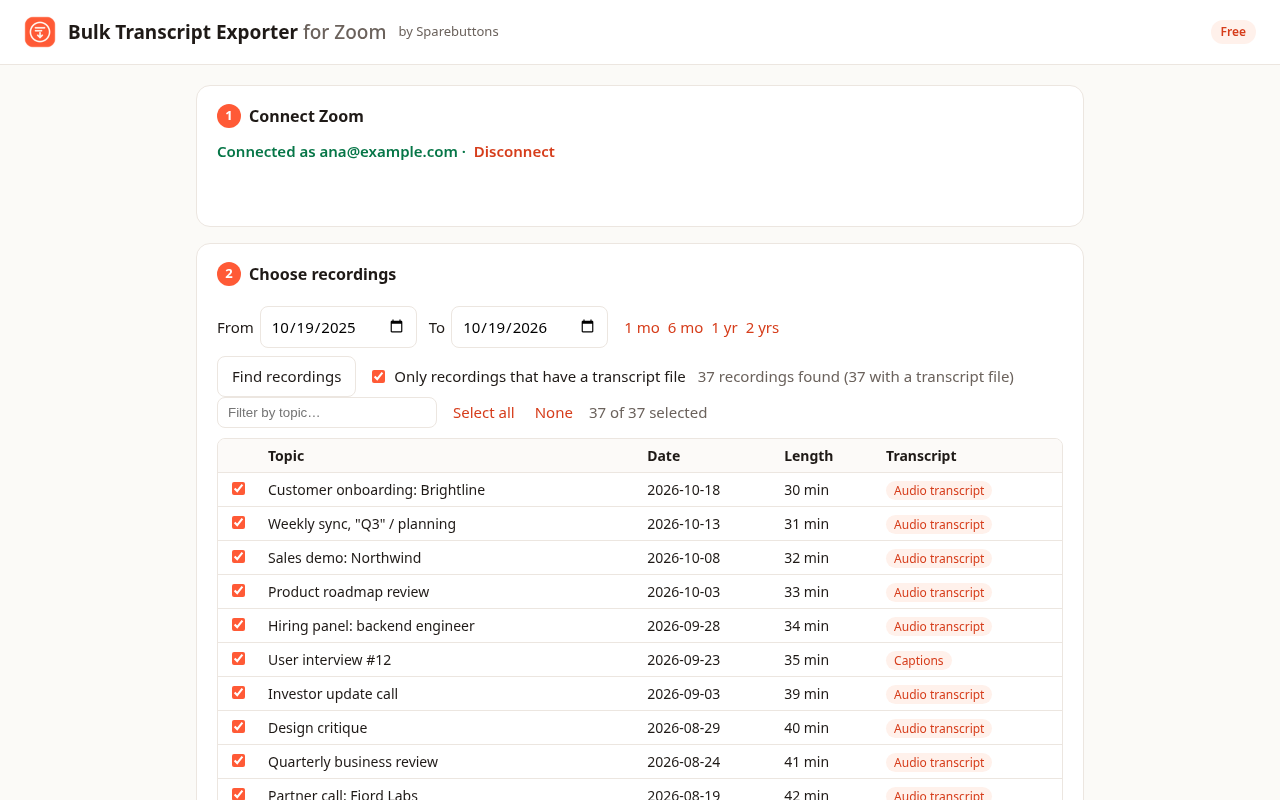
Zoom makes you open each recording and download its transcript by hand. Bulk Transcript Exporter for Zoom collects the transcripts of all your cloud recordings, months at a time, and saves them in one ZIP.
.txt.md.srt.vtt.jsonindex.csvFree for 5 transcripts per export · Pro unlocks unlimited exports
Official and read-only
You sign in on Zoom's own page through Zoom's official API. The extension can read your recordings and transcripts, and nothing else. It can't change or delete anything.
Private by design
Transcripts go straight from Zoom to your browser. We have no servers that see your meetings, and the extension contains no tracking.
Every format you need
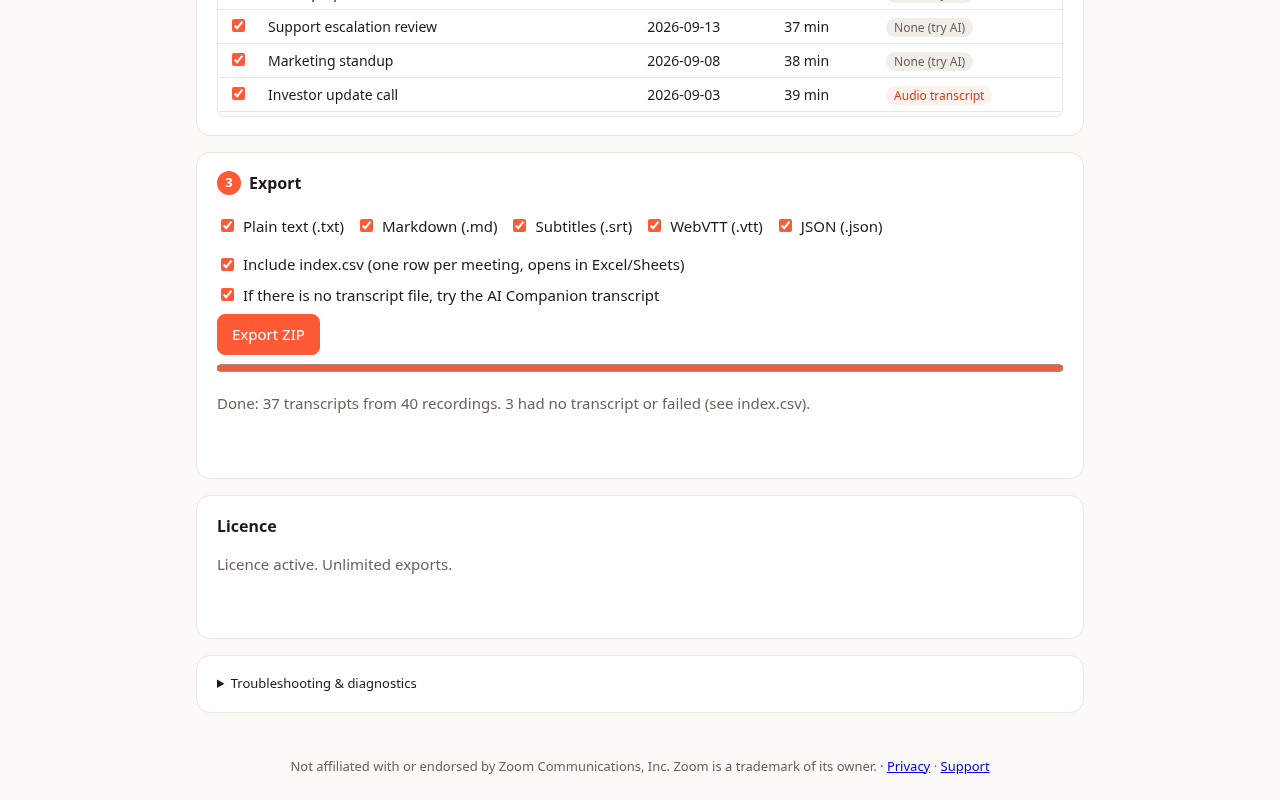
Markdown for Notion and Obsidian, SRT and VTT subtitles with Zoom's timings, JSON for AI and RAG pipelines, and a CSV index for Sheets and Excel.
Three steps, one ZIP
- Install the extension and click its icon.
- Sign in with Zoom and approve read-only access to your recordings.
- Pick a date range, click Find recordings, then Export ZIP.
- Keeping transcripts before cloud recordings are auto-deleted or you change plans
- Feeding meetings into ChatGPT, Claude or NotebookLM
- Sales, research and interview notes in Notion or Obsidian
- Subtitles and compliance archives
Free to try. Pay once if it helps.
Pro Launching soon
Unlimited recordings per export and all future updates. Secure checkout by our payment partner.
Buy Pro licenceQuestions
What do I need?
Chrome, Edge or Brave, and a Zoom plan with cloud recording (Pro or higher). In the Zoom web portal, turn on Settings → Recording → Cloud recording → Create audio transcript. Recordings made before that setting was on have no transcript file.
Which recordings are included?
Cloud recordings you hosted, in the date range you choose. Zoom only lets apps request about a month at a time, so the exporter walks back through your history month by month for you. Local recordings stay on your computer and aren't available through Zoom's API.
What about AI Companion transcripts?
If a recording has no transcript file, the exporter can also try the meeting's AI Companion transcript. Zoom only offers this when AI Companion transcription was used and your account lets hosts keep meeting transcripts. Meetings that were never cloud recorded don't appear in the list in this version.
Are timestamps and speakers included?
Yes. Zoom's transcripts include timestamps and, when Zoom recognised them, speaker names. You get them in every format, and the SRT and VTT subtitles keep Zoom's exact timings.
Do you see my transcripts?
No. You sign in on Zoom's own page and the extension gets read-only access. Transcripts go from Zoom straight to your browser and are zipped on your computer. We have no server that receives them.
How does the free version work?
Free exports include up to 5 transcripts at a time, in every format. Pro removes the limit for a one-time payment.
How do I remove access?
Click Disconnect in the extension, then in the Zoom App Marketplace go to Manage → Added Apps and remove the app. We store no Zoom data, so nothing is left behind. See the user guide.
Is this made by Zoom?
No. It's an independent tool built on Zoom's official API. Zoom is a trademark of Zoom Communications, Inc.
Read the full user guide: adding, using and removing the app